How to view the schedule in TimeEdit
Here you will find instructions on how to view the schedule in TimeEdit.
View simplified schedule without log-in
This view is primarily intended for those who have not yet been admitted as a student at KTH. It shows a simplified version of the schedule without requiring you to log in. Here, you need to actively search for the course or programme you want to view. The schedule only displays the course, date, and time.
Click on "Search time tables":

Log in to view detailed schedule
To view a schedule with detailed information about teachers, rooms, etc., you need to log in. Logging in is also required to use the “Mitt schema" (My Schedule) function, which displays your personal schedule based on the courses you have selected.
Click on “Students” and then log in using your regular KTH credentials:

Select a View in the Logged-In Schedule
Once logged in, select a view:
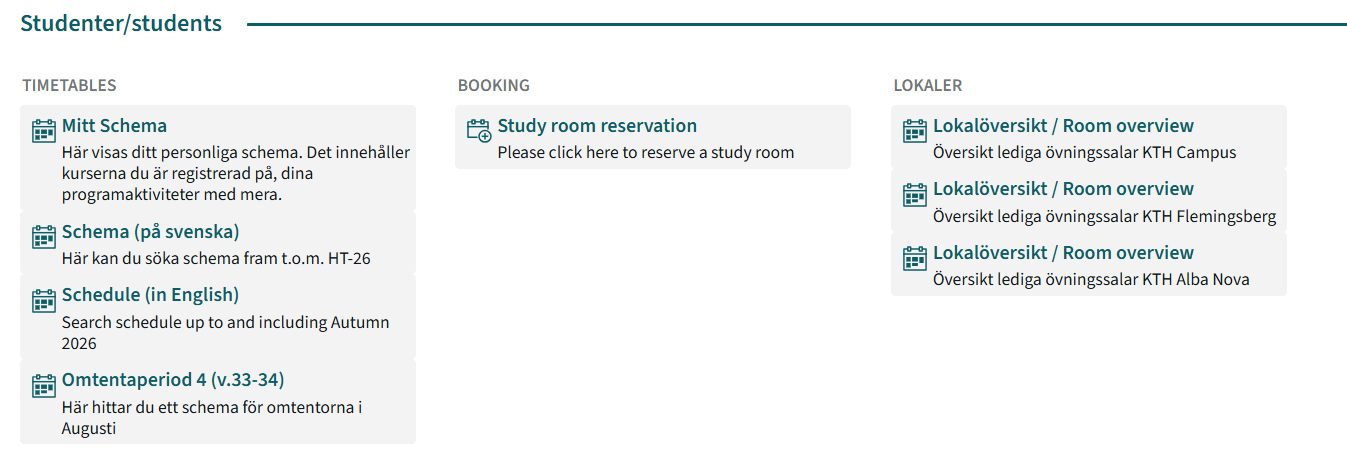
Mitt Schema (My Schedule)
Mitt Schema (My Schedule) shows your personal schedule, i.e. the courses you are registered for, activities related to your programme, and your personal bookings, such as group room bookings.
If your course does not appear here, it is usually because you have not yet been registered, or because there was an error with the registration. Check your registration with your school office. If you are still experiencing problems with My Schedule, contact IT Support .
Tip! If you are having problems with My Schedule, use the Schema/Schedule view (in Swedish or English) until the issue has been resolved.
Schedule
Schema/Schedule (in Swedish or English) allows you to freely search among all KTH courses.
You can search for individual courses or entire programmes.
For students re-registered on an OM course instance
If you are re-registered on an OM course instance, your schedule will not automatically appear in Mitt Schema, as the OM course code is not included in the schedule. Example: AF1746-OM049 (Autumn 2026).
Search for the schedule of the regular course occasion via Schema/Schedule (in Swedish or English). Then create a separate subscription to the schedule.
Select time range
For both simplified and logged in view, start by selecting a time range. Either select an entire semester:
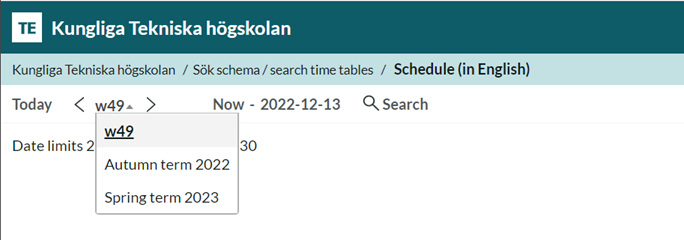
...or specific weeks, using the small calendar that appears when you click on the default dates:
Customizing your view
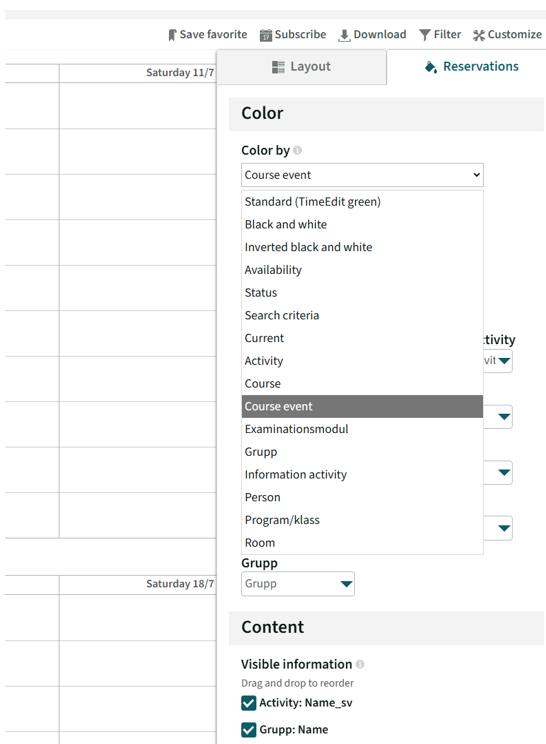
You can chose how your schedule is displayed under Customize. If you are looking at the schedule for a whole program, it can be helpful to use different colors to display the different courses. If you are looking at the schedule for a course, it can be helpful to show different types of activities in different colors, i.e labs and lectures.