
Different Canvas rooms at KTH
As a student at KTH, you may encounter several different types of Canvas rooms: course rooms, examination rooms, and programme rooms. Here you can read about the different rooms and what they are used for at KTH.
Course rooms in Canvas
When you take a course at KTH, you have access to a Canvas room linked to the course. You often get access to the course room in Canvas before you have registered for the course, but to continue having access to the course room you need to register for the course.
What you can do in the course room
In the course room, you can
- find course materials and other relevant information that your teachers have uploaded to the course room
- communicate with your teachers and fellow students via discussion forums and messages
- submit assignments
- answer quizzes
- receive feedback and view assessments and results. The results should be regarded as preliminary and not as the examiner’s final grading decision (which is communicated via Ladok). Read more about Grades in Canvas
- complete course evaluations and view the results of the course evaluation.
Course rooms are closed after the course ends
To help you avoid seeing old course rooms, they are closed 60 days after the end of the course. After that, the course will no longer appear in your dashboard overview. It is still possible to access the course rooms and view the content, but you cannot, for example, submit assignments or post in discussion forums. The teacher can reactivate the course room if needed.
Course groups are no longer accessible
When the course room is closed, groups associated with the room are moved from “Current groups” to “Previous groups.” Once the course room has been closed, it is no longer possible to access the group. If you need access to the group, you must contact your teacher.
Examination rooms in Canvas
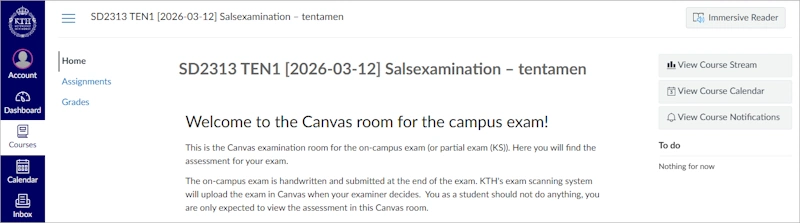
Sometimes a separate Canvas room is used for examinations, called an examination room. These are linked to a specific examination, most often ones that you, as a student, need to register for.
Examination rooms can, for example, be used to
- carry out examinations in a computer room
- access assessment and results from written on-campus exams
- complete take-home exams.
Examination rooms are closed after the examination
Like course rooms, examination rooms are closed 60 days after the examination. The room can still be accessed, but it is not possible to do anything in it. The teacher can reopen the room if needed.
Program rooms in Canvas
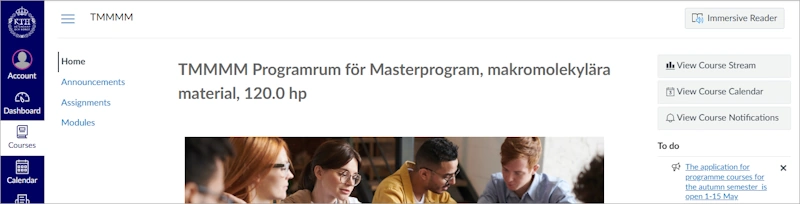
Program rooms are Canvas rooms that are linked to specific study programmes at KTH. As a student enrolled in a programme, you gain access to the programme room when you register for a course for the first time.
What you can do in the programme room
Programme rooms are used to
- find programme-specific information that is only available to students in the programme
- find links to the Student Web related to programme studies
- find important deadlines and information sessions
- find programme-related files
- receive information from the programme management.
Programme room content
Most programme rooms consist of a menu with the following sections:
- Home – how the programme room works, contact details, and a to-do list.
- Announcements – a news feed with current information for the programme.
- Assignments – important deadlines and information sessions.
- Modules – a collection of links, materials, assignments, and programme-specific information organised by different themes.
- People – a list of all students and those responsible for the programme room.