
Primo – a guide
Primo is a discovery tool for searching print and electronic collections of articles, books and e-books, dissertations, databases and much more.
About Primo
In the KTH Library search service Primo you can search for most of the library collections in print and electronic format in one single search. You can for example find:
- books and e-books
- articles
- dissertations
- journals and e-journals
- many databases for more in-depth searches
In order to search for older material (1827–1960), please see our page Our collections
My library account
Login to My library account in order to:
- see your loans and when to return them
- place requests on books that are on loan
- save searches
Below you´ll find a film on how to use Primo. You can also read more about search techniques and what the library can help you with.
Research Assistant
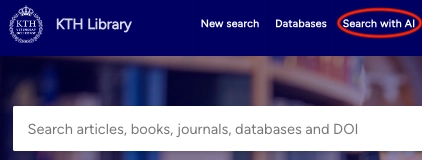
Research Assistant is a new AI feature in Primo, still in Beta. Users can ask questions and the tool searches through library resources, with several exceptions, to identify five relevant documents. It then summarises key information from these documents in an overview along with source references and citations to enable deeper exploration and fact checking.
Search tips
- Remember to ask clear and detailed questions on academic or scientific topics.
-
Be as specific as possible and formulate your enquiry in the form of a question.
-
You can write in English or any other language. The Research Assistant will handle the translation and perform searches in English if a different language is used.
-
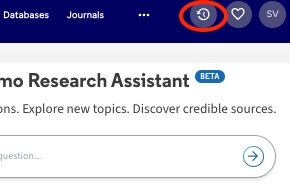
To view the keywords utilized in your searches, click on the search history icon in the top menu to the right.
Research Assistant can be a good starting point for your search, but make sure to supplement it with additional searches to ensure you find the most relevant sources.
Search with Research Assistant (login required)
Read more about how Research Assistant works
Read the KTH Library's information on AI and information retrieval